
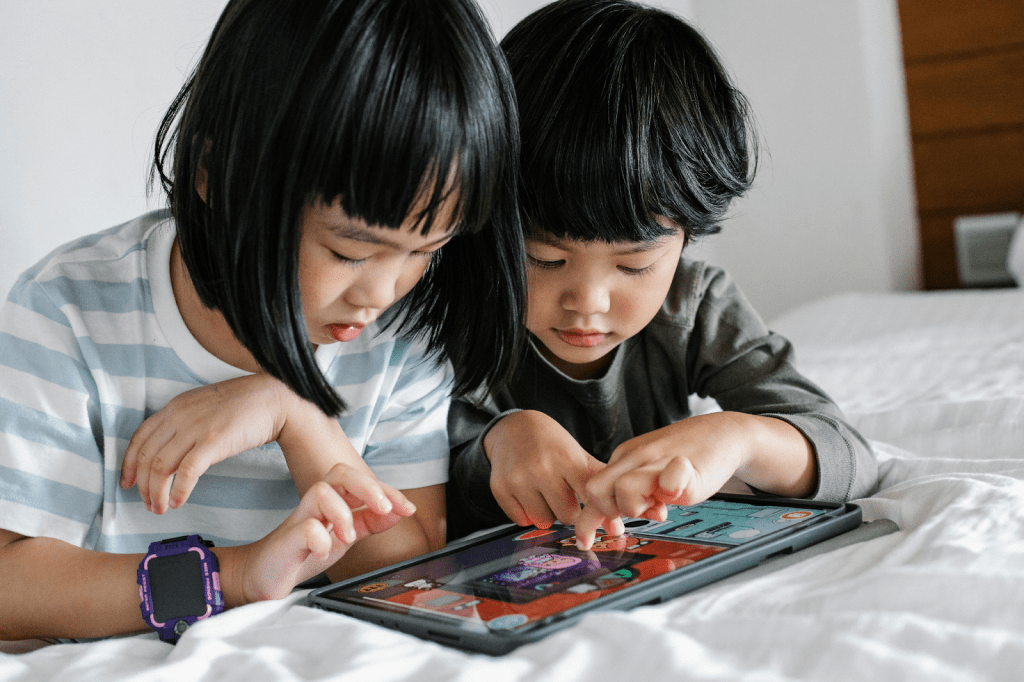
Does screen time help or hurt literacy development in children?
With screen time being a relevant and somewhat controversial topic among many parents, this question is a reasonable one to ask. While every parent has their own personal preferences regarding if and how they implement technology among their children, it is still important to take into consideration what the research has to say in regards to the correlation between screen time and literacy development.
Overall, multiple studies show that incorporating literacy apps into the screen time of children can be both enjoyable and beneficial, especially when it comes to their literacy development. More specifically, research generally shows that :
- The development of early literacy skills, such as letter knowledge and name writing skills, can be enhanced through the use of literacy apps
- Children from all backgrounds can benefit from these apps.
- As little as 30 minutes of literacy app use per week is sufficient in having positive effects.

But, why are these apps beneficial? How does the usage of literacy apps lead to such positive results?
- Smart devices are often multimedia, meaning they involve many tools used to gauge the attention of children. More specifically, they often engage the visual, auditory, kinaesthetic, and tactile senses through many means, such as images, animations, text, sounds, and more. When the engagement of these senses and the child’s attention is combined with the literacy skills promoted through literacy apps, literacy development can flourish.
- Smart devices and literacy apps enable children to take independent agency or their own learning and literacy development.
- Literacy apps are more accessible than many other resources. More specifically, regardless of financial status and access to resources, literacy apps are often available, as the majority of households have at least one device that has access to internet and literacy apps.
★ All in all, literacy apps are often effective because they are stimulating, engaging, enjoyable, accessible, and promote independence!

Surely some literacy apps must be more beneficial than others. What should I look for in a literacy app? Which literacy apps are best for supporting literacy development in children?
It is true that not all literacy apps are equally effective. In fact, many apps that are marketed as educational do not have sufficient educational value, so it is definitely important to be selective when choosing which literacy apps to implement in the lives of your children.
What to AVOID :
Apps that…
- constantly switch the scene or what is being displayed, as this doesn’t allow the child sufficient processing time for learning and harms their attention span
- have a lack of focus on educational content, as this can distract the child and prohibit them from fully engaging in the educational content
- include an overwhelming amount of choices
- include irrelevant distractions that take attention away from the educational content
What to LOOK FOR :
| Apps that keep children actively and mentally involved |
| What this might look like… – Apps that involve symbolic material, such as letters and words, keep children actively and mentally involved. Apps like this can help children engage with these important symbols and representations, and therefore make steps towards understanding the systems they are a part of. For example, the objective of many literacy apps is to form letters into words or organize words into sentences, which keep children actively involved. These tasks require mental engagement, which ensures that literacy skills are truly being developed through the use of these apps. – Apps that allow the child to have a sufficient level of control during the activity help sustain the child’s attention and mental involvement. Studies show that when the child does not have an adequate amount of control over an activity, their attention will decrease quickly throughout that activity. For example, the attention of many children diminishes more quickly when their parent is controlling the activity (ex. The parent is controlling the computer mouse for the child), in comparison to when the children themselves have control. That being said, an app must be designed in a way in which the child is able to have sufficient control over the activity and not depend too much on their caregiver to navigate the app/activity, so that they themselves can pay close attention to the activity and truly utilize their cognitive skills. |
| Apps that keep children engaged and focused on the learning material, rather than focused on irrelevant distractions |
| What this might look like… – Apps that avoid unnecessary distractions, such as irrelevant sound effects, can help keep children focused on the learning material. Furthermore, apps that prevent children from getting off-task while there is already an ongoing activity or narrative being displayed can be beneficial for their learning process. – Apps that are interactive and contingent with the child’s input/actions fit this criteria. In other words, when the child touches the screen, there is an instant response. This type of back and forth interaction between the child and the app should be required in order to continue the activity provided by the app. For example, when it comes to a storybook app, requiring engagement from the child (ex. Tapping specific images) in order to continue the story helps the child stay engaged with the learning material and increases their understanding of the learning material. Overall, when literacy apps include this type of interaction between the child and the app, education value increases. – Apps that incorporate positive feedback/rewards can keep children engaged in the learning process and motivate them to continue engaging with the learning material. For example, when a child completes a level of a literacy app game, a motivation phrase appears on the screen (ex. “Nice job!”) and a new level of the game is unlocked. This can feel rewarding to the child and encourage them to continue playing and learning. – Apps that are naturally rewarding due to their open-ended, user-led design can be very efficient when it comes to maintaining the attention of children. More specifically, when children are able to play freely and explore their personal interests and abilities, they are more easily engaged in the activity and the overall learning process. |
| Apps that have meaningful learning experiences that are relevant to the lives of the children using them |
| What this might look like… – Apps that encourage conceptual learning are typically much more meaningful than those that solely encourage rote learning, and therefore they are of more educational value. More specifically, conceptual learning requires an understanding of fundamental ideas, whereas rote learning simply involves memorization of information through repetition and does not require an understanding of the underlying principles of that information. In terms of literacy apps, an app that solely encourages rote learning might implement the visual memorization of sight words. For example, the app might display 5 sight words on the screen. A voice might then say “tap the word “cat””, and then give the child a reward (ex. An applause sound effect) once the child complies. This doesn’t teach the child any transferable skills that can be applied to reading and writing words other than “cat”, as it just helps the child to memorize what the word “cat” looks like. On the other hand, if a literacy app encourages conceptual learning, it might demonstrate what each letter in the word “cat” sounds like. This will help the child gain a meaningful understanding of the fundamental ideas of reading and spelling – individual letter sounds! Overall, having a solid understanding of fundamental literacy information is necessary when it comes to literacy development, as literacy knowledge and skills build upon each other. Therefore, utilizing literacy apps that encourage a meaningful understanding of literacy information can be very beneficial for a child’s literacy development. – Apps can ensure they are relevant to the lives of the children using them by incorporating engagement with the home environment. Literacy apps can do this by including objects from the home and/or household members into the activity or game. For example, a literacy app might connect the learning process with the home environment by prompting the child to take a picture of something that starts with a certain sound, such as “sh”. The child may then take a photo of a shoe, a toy shark, their shampoo, etc. The app might then prompt the child to discuss this image with a family member. Overall, incorporating relevant topics, objects, people, etc. into literacy apps is very beneficial, as it personalizes the child’s literacy development in such a way that it is relevant to them and their life. |
| Apps that foster social interaction between children and others |
| What this might look like… – Apps can encourage in-person interactions between children by designing the literacy apps’ activities to be multiplayer. For example, an app can encourage this social interaction by incorporating turn-taking into its activities, in which 2 or more children cooperate by taking turns using the app in order to reach a shared goal. – Apps can encourage virtual interactions between a child and their friends or family. A literacy app can do this by incorporating screen sharing and voice chatting between two users when completing an activity. This type of feature has the potential to foster meaningful social interaction between loved ones, such as a child and their out-of-state grandparents. In return, this can have positive educational effects similar to in-person social interactions. – Apps can incorporate social interactions between the user and characters. For example, an app aiming to aid in literacy development might incorporate an animated on-screen character that responds to the child user’s speech. These responses/interactions can aid in literacy development by supporting the child’s growth in relevant areas, such as vocabulary and narrative skills. |
 | But, which literacy apps align with this criteria? While there are numerous literacy apps out there that fit this criteria, and caregivers can assess any literacy app’s educational value using the aforementioned criteria, here are 2 FREE recommendations: |
 | My Story Kids’ Storybook Maker My Story Kids’ Storybook Maker is an app that allows children (ages 3 years and up) to create their own digital storybook. Let’s see how it fits the criteria… |
| How does this app keep the child actively and mentally involved? | How does this app keep the child engaged and focused on the learning material, rather than focused on irrelevant distractions? |
| This app keeps the user actively and mentally involved through its easy to navigate and adaptable design that is considerate of all users, their age, and their abilities. For example, the app allows the user to write words on each page of their storybook, but also provides an audio recording option which can be helpful for younger users who are working on their narrative skills, but have not yet mastered their writing and spelling skills. This easy to navigate and adaptable design will help all users 3 years old and up participate in book making activity with a sufficient level of independence, which will help them maintain their attention and enable them to actively utilize their cognitive skills. That being said, the level of independence this app provides will depend on your child’s age. Children ages 3-5 years old will inherently need more initial assistance than older children. | This app keeps the child engaged and focused on the learning material by eliminating distractions. The only activity available on this app is storybook creation, ensuring that the user will not be distracted by an overwhelming amount of choices, and will instead stay focused on the learning opportunities provided by story making. Furthermore, there are no pop ups or unaffiliated ads/promotions that might break the child’s attention. Additionally, the activity provided by this app is very child-led and open-ended. The child is first provided with a completely blank page in which they have total creative freedom over. The child can make their story book their own by creating a unique title, drawing images, adding music, adding text, inserting a recording of their own voice, inserting a variety of pre-made images or GIFs, etc. Research shows that this type of play can help children sustain engagement and interest in the activity and learning process, as it feels naturally rewarding to children. |
| How does this app have meaningful learning experiences that are relevant to the lives of the children using them? | How does this app foster social interaction between children and others? |
| The camera/photo feature of this app allows its users to engage in meaningful learning experiences that are relevant to their lives. More specifically, the app allows the user to insert their own photos into their story. For example, a child could insert a photo of their room, their toys, their family, their pets, etc. and create a story revolving around that photo. This can encourage various literacy skills (ex. Vocabulary, narrative skills, etc.) relevant to that specific child’s life, their room, their possessions, their loved ones, etc. Additionally, the open-ended design of this app allows the user to create a story relevant to their lives, even without the camera feature. If a child has a special interest, such as dinosaurs, they are free to make a storybook about that special interest. The app does not force the child to create a story about any specific thing, which is important when it comes to meaningful learning experiences, as not all topics and themes have meaning to every child. For example, writing a story about farm animals might be relevant, meaningful, and exciting to a child who lives on a farm and interacts with farm animals everyday, but this theme may not be relevant to the life of a child who lives in a big city and has never been to a farm. | This app can foster dialogue between the author (the child) and their family. When the user is done writing their book, the child can share their story with their loved ones in-person using the “View Story” option, or digitally using the “Share Story” option. Caregivers can then initiate a discussion about the story with the child. Furthermore, while this app is not inherently multi-user, it can definitely be used in that way. Multiple individuals (ex. 2 siblings) can realistically collaborate in creating a storybook by using this app on a single device. |
 | Learn to Read – Duolingo ABC Learn to Read – Duolingo ABC is an app that builds children’s literacy skills through stories and story-based games. It includes multiple skill levels and is designed for children in preschool to 2nd grade. Let’s see how it fits the criteria… |
| How does this app keep the child actively and mentally involved? | How does this app keep the child engaged and focused on the learning material, rather than focused on irrelevant distractions? |
| This app keeps the user actively and mentally involved by including activities that involve connecting symbols to the systems they are a part of. For example, in the lower levels, the app teaches the user different letters and their sounds. Then, eventually, the user is prompted to organize letters into certain words. In the more advanced levels, the user will eventually move on to a more complex understanding of the system of language and learn to organize words into sentences. Understanding these symbols and systems requires a certain amount of cognitive engagement, meaning that in order to use this app and complete its activities and levels, the user must be actively and mentally involved. | This app keeps the child engaged and focused on the learning material by preventing them from getting off task during the activity. For example, for some levels there is an initial story that sets the stage of the entire level. In other words, understanding the initial story is essential, as it informs the user important information, such as what the goal of the level is or what the user is working towards. For example, level 10 starts off with two characters, Eddy and Duo, walking in the woods. Suddenly, a wizard appears and traps Duo in a green crystal. The wizard then tells Eddy that only a knight can untrap Duo. A voice then tells the user they need to collect enough stars, by completing the activities, in order to find the knight. Throughout this short story, the user cannot exit to any other portion of the app. In other words, there is no X symbol available for the child to click in order to pursue another level or activity. This ensures that the user stays immersed in the narrative, and therefore can fully engage with the content and understand the objective of the activity. Additionally, the app requires a back and forth interaction between the user and the activity. For example, the app inputs questions and activities throughout many of the stories. The child must complete these activities in order to continue the narrative. Overall, this keeps the child engaged and focused, increasing the educational value of the activity. |
| How does this app have meaningful learning experiences that are relevant to the lives of the children using them? | How does this app foster social interaction between children and others? |
| This app ensures that its learning experiences are meaningful by teaching fundamental information that will be built upon throughout their literacy development. For example, while completing the lower levels of the app, the child will learn each letter and what sound it makes. This information is then applied to pronouncing words, reading words, spelling words, etc. Additionally, the app includes activities that are relevant to each individual child. For example, when you first open the app, it asks you for the child’s name. This is because throughout the first few levels of the app, the child will be working on how to spell and write their own name! This is a very important skill that has been customized for each individual user in order to ensure relevancy. | This app allows for positive parasocial relationships between a handful of relatable and personified on-screen characters and the user. The user may build a sense of familiarity with these characters as they reappear throughout the levels. Additionally, the voice instructing the child through all of the activities is consistent. In other words, the same voice actress guides the child through all 10 levels. This recurring kind and gentle narration can help the user build a sense of familiarity and relationship between the narrator and themselves. Lastly, the app includes a speech recognition feature. For example, the familiar voice will prompt the child to say a word. When the child says that word, the microphone will pick it up. If the child pronounces the word correctly, the app responds with a rewarding sound effect. This interaction between the app and the child almost mimics the way in which a caregiver would verbally praise a child for pronouncing a word correctly. |
Research References
Hirsh-Pasek, K., Zosh, J. M., Golinkoff, R. M., Gray, J. H., & Kaufman, M. B. R. a. J. (2015). Putting Education in “Educational” Apps: Lessons from the Science of Learning. Psychological Science in the Public Interest, 16(1), 3–34. https://www.jstor.org/stable/44151262
Neumann, M. M. (2017). Using tablets and apps to enhance emergent literacy skills in young children. Early Childhood Research Quarterly, 42, 239–246. https://doi.org/10.1016/j.ecresq.2017.10.006
Schiele, T., Edelsbrunner, P., Mues, A., Birtwistle, E., Wirth, A., & Niklas, F. (2024). The effectiveness of game-based literacy app learning in preschool children from diverse backgrounds. Learning and Individual Differences, 117, 102579. https://doi.org/10.1016/j.lindif.2024.102579
Image/App References :
App Store. (2015, May 11). My Story Kids’ storybook maker. https://apps.apple.com/us/app/my-story-kids-storybook-maker/id977295942
App Store. (2020, March 23). Learn to Read – Duolingo ABC. https://apps.apple.com/us/app/learn-to-read-duolingo-abc/id1440502568?platform=ipad
Fring, G. (2020, October 17). Boy and girl looking at tablet. Pexels. https://www.pexels.com/photo/boy-and-girl-looking-at-tablet-5621917/
Green, A. (2020, October 25). Asian kids playing with tablet. Pexels. https://apps.apple.com/us/app/my-story-kids-storybook-maker/id977295942
Kampus Production. (2020, December 20). Grandma sitting beside Grandchild. Pexels. https://www.pexels.com/photo/grandma-sitting-beside-grandchild-6248428/


Leave a comment